Audacious for Mac 1.0.0 was released today for MacOS. Audacious 1.0.0 is our initial release candidate, Audacious for Mac supports a wide verity of audio codecs as well as web streaming in this release. More Audio codec support as well as Video support will be added in the next release. Please see the full change-log below for all the exciting changes in this release.
Audacious is a audio player with a focus on low resource use, high audio quality, and support for a wide range of audio formats. It is designed primarily for use on POSIX-compatible systems.
Audacious began as a fork of Beep Media Player, which itself is a fork of XMMS. William “nenolod” Pitcock decided to fork Beep Media Player after the original development team announced that they were stopping development in order to create a next-generation version called BMPx. According to the Audacious home page, Pitcock and others “had [their] own ideas about how a player should be designed, which [they] wanted to try in a production environment.”
Since version 2.1, Audacious includes both the Winamp-like interface known from previous versions and a new, GTK+-based interface known as GTKUI, which resembles foobar2000 to some extent. GTKUI became the default interface in Audacious 2.4.
The cost of Audacious 1.0.0 is only $15.00. Audacious comes with three months of upgrades and of course a 14-day money back guarantee.
Supported Codecs:
- MP3
- Flac
- Lame
- Ogg
- Vorbis
- ffmpeg
About Wine Reviews:
There is a multitude of software developed only for the Windows operating system and even when software vendors port their applications to another platform, generally it lacks features that the Windows version contains. The only solution these developers face is to have access to both systems for testing which leads to increased infrastructure demands, and wasted project resources. Our goal is to have native ports of essential Windows tools and applications made available for MacOS users.
Version 1.0.0 New Features:
- Initial port to Mac
- Added support for common Audio codecs
We now use FastSpring as our preferred storefront, you can pay with Credit / Debit Cards, PayPal, Amazon payments, Wire Transfer etc. etc. This store is very secure, simple and fast.
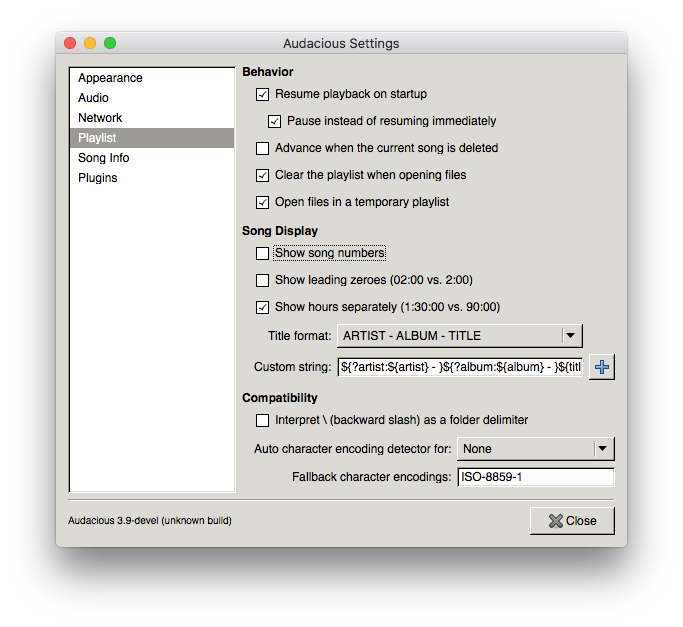
Screen Shots :
We have included a readme file inside the package that has this builds limitations and features, The classic Winamp theme looks the best at this time. 🙂
Purchase Audacious 1.0.0 now and play your music how you want it!






 Putty for Mac